01
Record
ScreenCaptureKit captures a display, window or region at 30 or 60 fps with the cursor off. System audio and microphone run on one clock, and Capturra's own windows stay out of the shot.
Capturra records your Mac with the cursor switched off and logs what you did. Afterwards it redraws a smooth cursor, zooms to where you click and type, and frames the whole thing, so a quick take reads like a finished product demo.
Free, MIT licensed. No account, no telemetry.
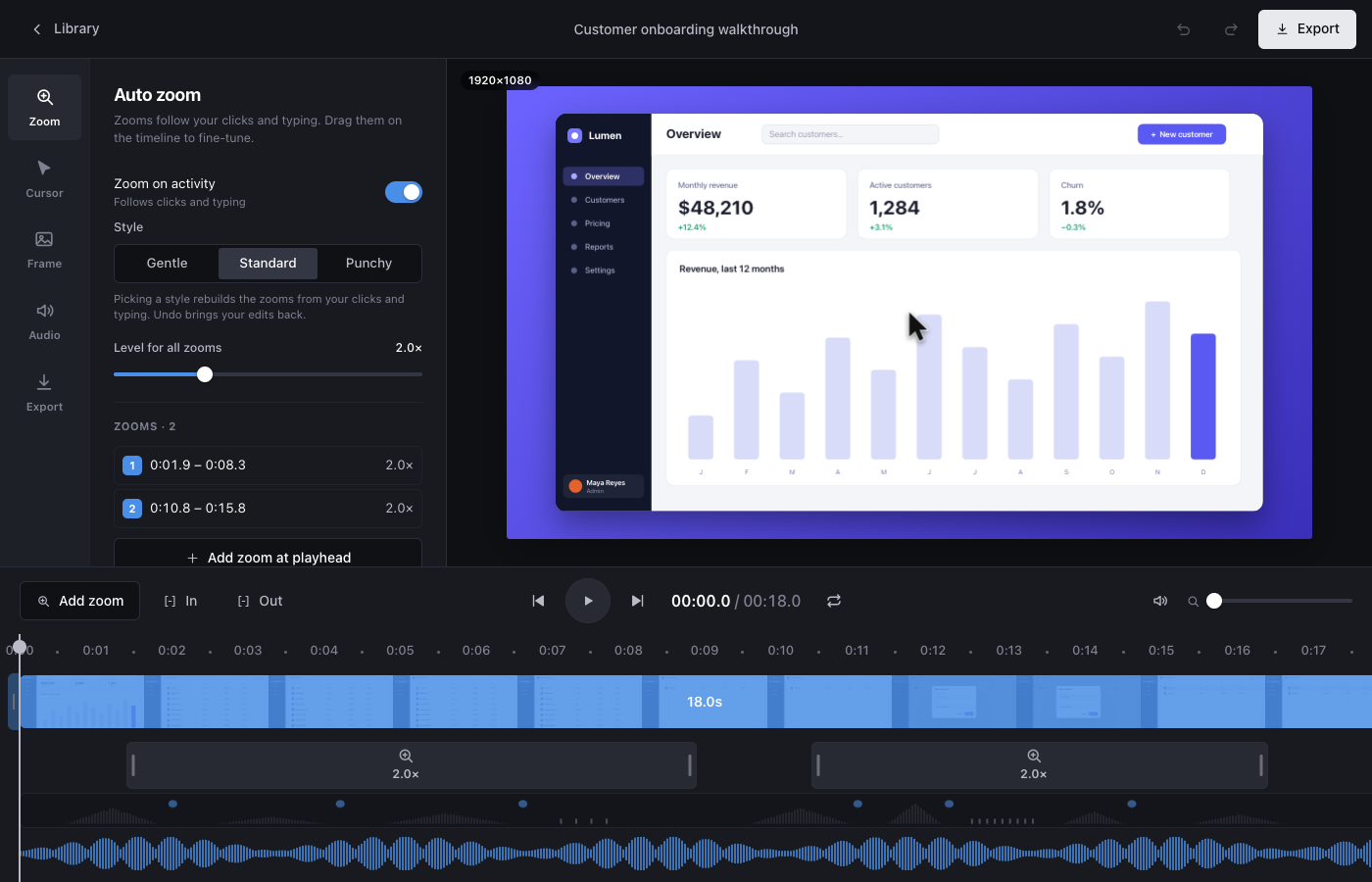
The Studio editor, showing the built-in demo project.
How it works
A raw recording has a jittery cursor and everything at one size. Capturra keeps the cursor out of the video and stores what you did separately, so nothing is baked in. Restyle the cursor, move a zoom or swap the background after you've recorded.
ScreenCaptureKit captures a display, window or region at 30 or 60 fps with the cursor off. System audio and microphone run on one clock, and Capturra's own windows stay out of the shot.
Pointer movement, clicks and keystroke timing are written alongside, with the real cursor images, the focused text field and whether you're over something clickable.
The Studio and the exporter rebuild the video from that data: a smoothed cursor, auto zoom, a framed canvas and cleaned-up voice, then MP4 or GIF.
Recording
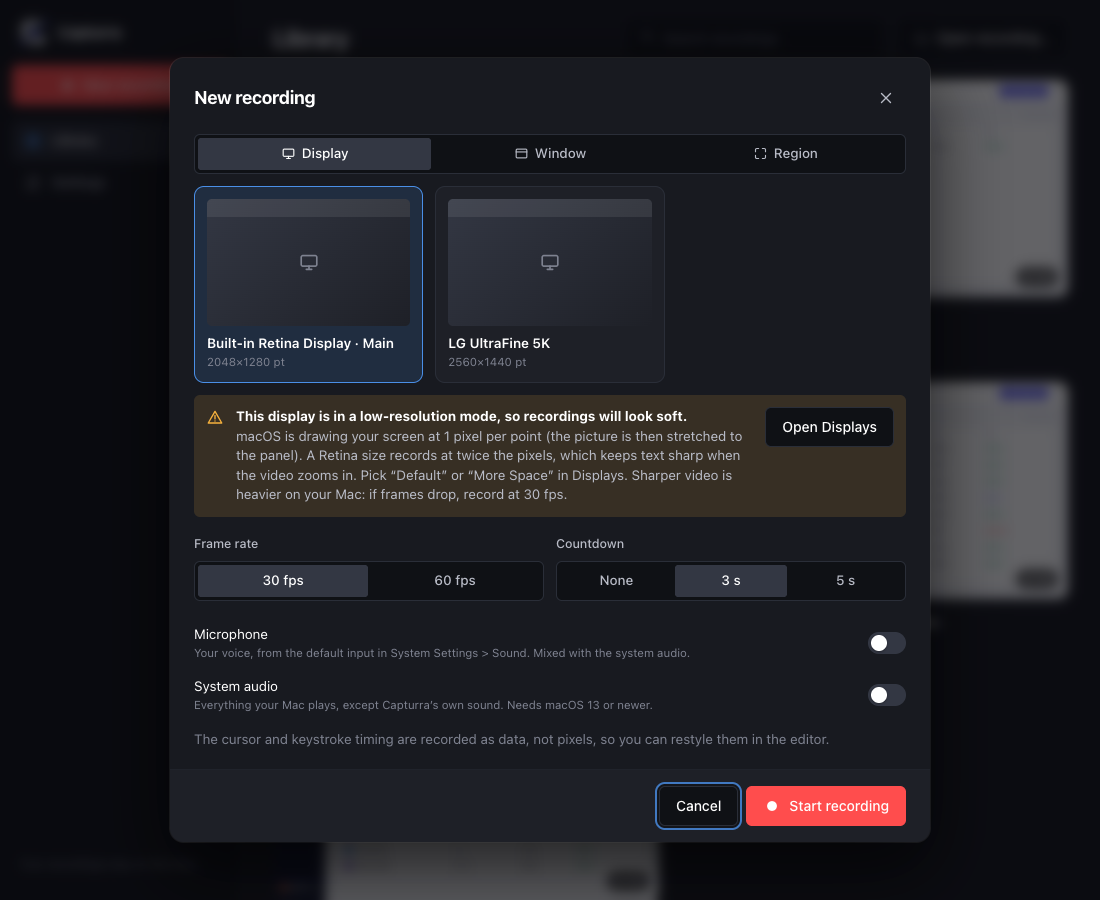
Capturra lives in the menu bar. Choose what to capture, set a countdown, add your mic or system audio, and start and stop from a global shortcut. It even warns you when your display is in a low-resolution mode that would make zoomed text look soft.
Frame
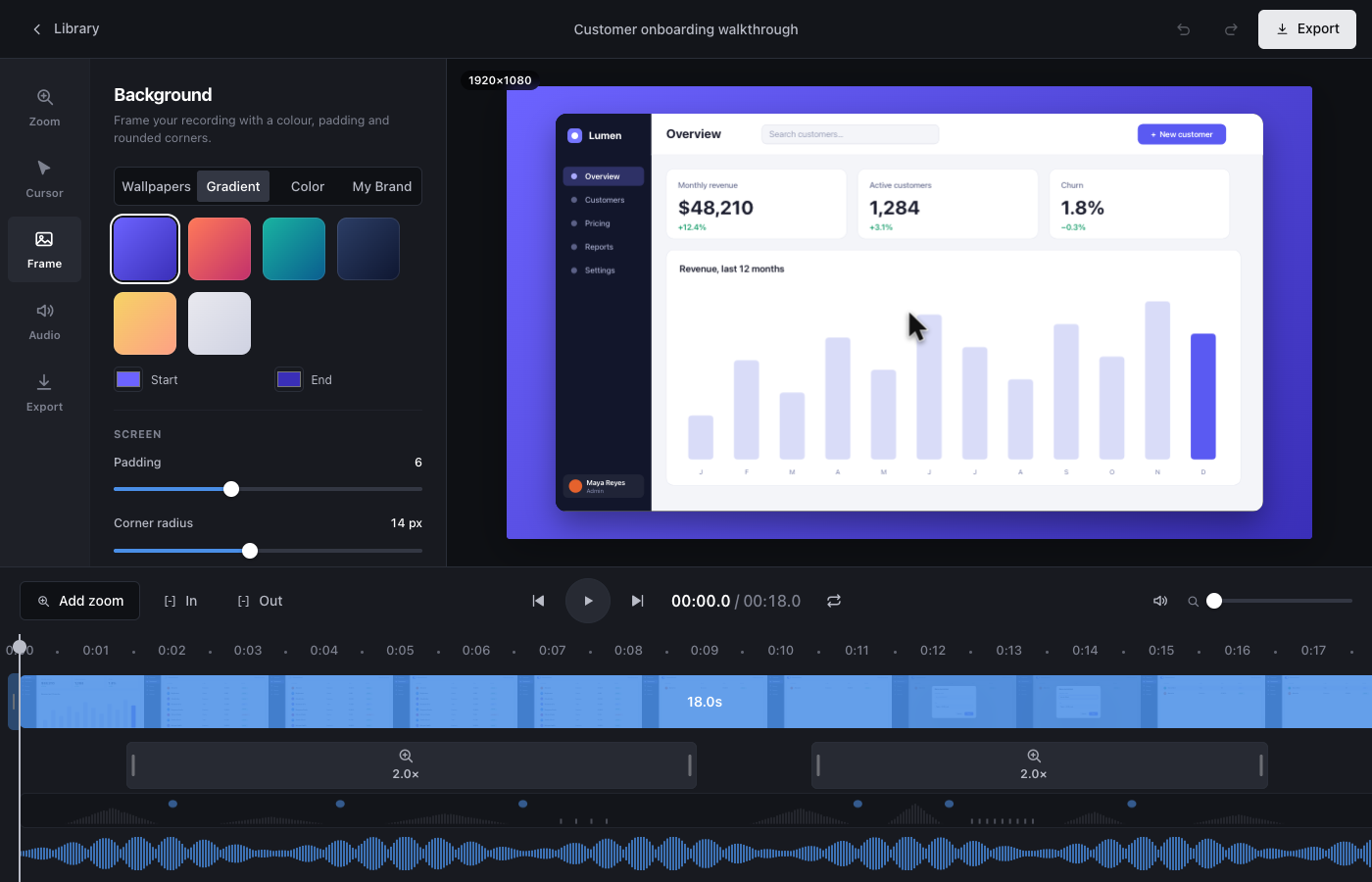
Eight original wallpapers, gradients, flat colours or your own picture. Dial in padding, rounded corners and shadow until the recording sits right, then change your mind later. It's all still editable.
Audio
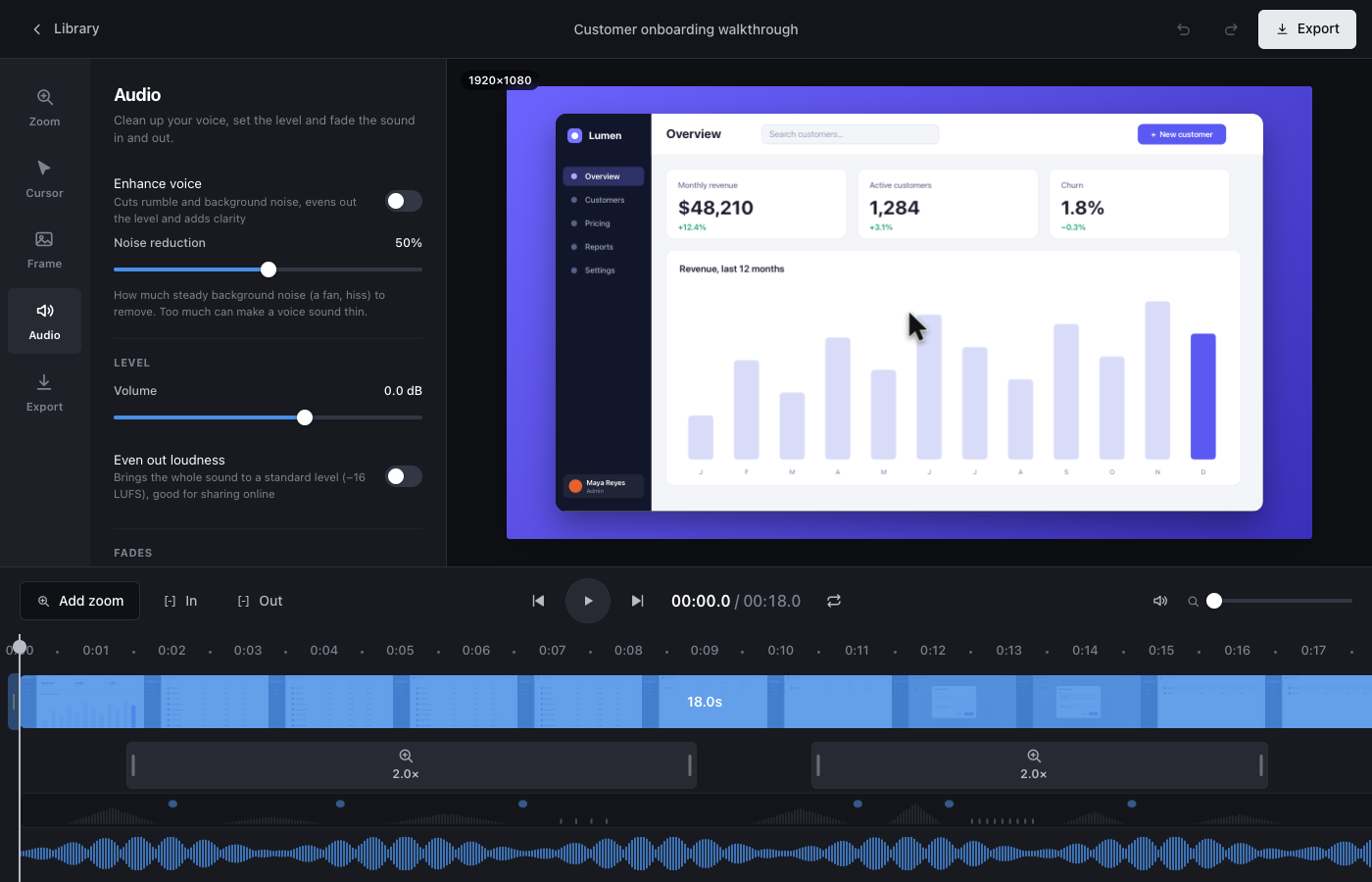
Enhance voice cleans up rumble and noise and evens out level and clarity. Set volume, loudness and fades, or mute. What you hear in the preview is the same filter chain the export uses.
Rapid clicks count as one, zooms merge instead of pumping in and out, and the camera follows the pointer. Typing zooms to the focused field. Gentle, standard or punchy.
Redrawn with the real macOS cursor shapes: arrow, I-beam, pointing hand. Adjustable size, smoothing, click ripple and squish.
Filmstrip, drag-to-edit zooms, trim, audio waveform, and undo/redo. Fine-tune what auto zoom chose, or add your own.
x264 for the smallest file, or your Mac's hardware encoder when you want it fast. GIF for docs and READMEs.
Video, audio, input and cursor share a single monotonic clock, so the redrawn cursor lands exactly where your click did.
record, preview, zoom, synth and zoom-stats. Automate recordings or test the zoom engine without touching the app.
A screen recorder sees a lot. Capturra is built so the only place your recordings and input data live is the folder you saved them to.
Key presses are stored as timing only. Capturra never records which key you pressed.
Nothing is uploaded. Recording, editing and export all run locally.
Download it, open it, record. And the source is on GitHub if you want to check.
Open source
A pure-Rust core with the event model, cursor smoothing and auto-zoom engine, covered by around 290 tests. A Tauri v2 menu-bar app on top, written in TypeScript with no framework.
capturra-coreevents, cursor, auto zoomcapturra-recorderScreenCaptureKit, input, audio, encodercapturra-rendercrop, zoom, cursor, canvas, encodecapturra-appTauri v2 menu-bar app and Studio# try the zoom pipeline, no permissions needed capturra synth --out demo capturra preview demo/recording.mp4 \ demo/events.json --out preview.mp4 --framed # record a region with audio and mic capturra record --region 100,100,1280,720 \ --audio --mic # list displays and windows capturra record --list


Free and open source for macOS 13+.